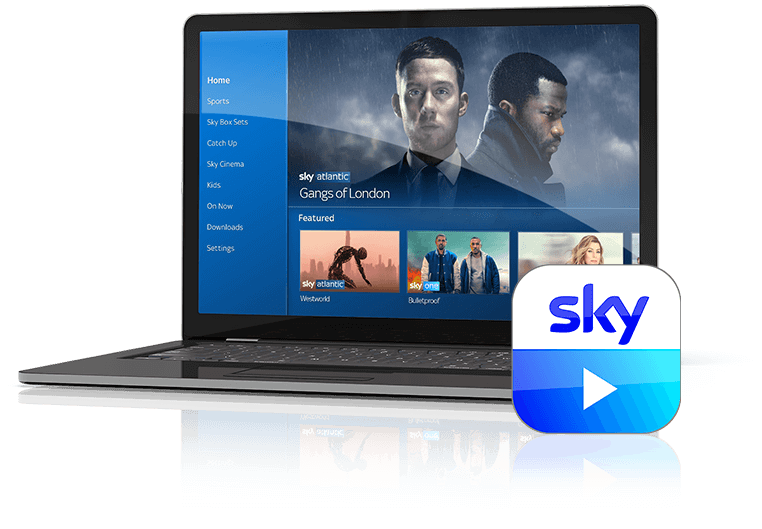
Unlock Your Entertainment: Stream Sports, Watch Offline, and Record Anywhere with the Sky Apps
In today's fast-paced world, staying connected to your favourite entertainment is paramount. For Sky subscribers, this means leveraging the power of the various Sky App offerings. Gone are the days of being tied to your living room television. With Sky Go and the integrated functionalities that enhance your Sky+ or Sky Q experience, you can transform any device into a portable entertainment hub, whether you're streaming thrilling sports live, catching up on blockbusters offline, or even setting recordings from afar. This comprehensive guide will delve into how these innovative apps put your entire Sky world right in the palm of your hand.
The Sky Go App: Your Portable Entertainment Powerhouse
The Sky Go app is the cornerstone of Sky's mobile entertainment offering, designed to deliver your subscribed content whenever and wherever you want it. Imagine never missing a crucial goal, a dramatic plot twist, or a breaking news update, simply because you're away from home. Sky Go makes this a reality.
Stream Live and On-Demand: With the Sky App, you gain instant access to a vast library of content. This includes over 100 live channels, mirroring much of what you'd find on your home TV, alongside an extensive on-demand catalogue of films, series, and documentaries. For sports enthusiasts, Sky Go is an absolute game-changer. You can stream Sky Sports channels directly to your tablet, smartphone, or computer, ensuring you’re always at the heart of the action, whether it's Premier League football, Formula 1, golf majors, or international rugby.
Watch Offline: One of the most invaluable features of the Sky Go app is the ability to download content for offline viewing. This is perfect for long commutes, flights, or any situation where an internet connection might be unreliable or unavailable. Simply download your favourite films and series when you have Wi-Fi, and watch them later without consuming mobile data or worrying about buffering. This makes your entertainment truly portable.
EU Portability: For those who travel within the EU, Sky Go offers seamless access to your content. Your Sky programme travels with you, allowing you to enjoy your subscribed packages even during temporary stays across the European Union, ensuring your entertainment doesn't stop at the border.
Important Note: To access content via the Sky Go app, a valid Sky subscription is required. The content available depends on your subscribed packages and device compatibility. While streaming requires an internet connection (Wi-Fi or mobile data), the offline download feature provides flexibility.
Enhancing Your Sky+ Experience: Remote Record and Content Mobility
While the physical Sky+ (or Sky Q) box forms the heart of your home entertainment system, the Sky Go app, in conjunction with the My Sky app, significantly extends its capabilities, particularly for remote recording and content management. The initial concept of "Sky+" as an app to "take exclusive content anywhere" has largely evolved into the functionality provided by Sky Go, which allows you to interact with your main Sky receiver.
Record on the Go: This feature is a lifesaver for anyone with a busy schedule. Forget to set a recording before leaving the house? No problem. With the Sky Go app (or My Sky app), you can remotely record programmes directly to your Sky receiver (Sky+ or Sky Q box) from wherever you are. This means you can be out and about, check the TV guide on your phone, and ensure your favourite show or crucial sporting event is saved for later viewing at home. It’s the ultimate convenience for managing your personal TV schedule.
Accessing Your Recordings and Content: Once recorded to your Sky+ or Sky Q box, you can watch these programmes directly on your TV. Furthermore, depending on your Sky package (e.g., Sky Q Multiscreen), you might be able to stream these recordings to other devices within your home network, offering an integrated viewing experience. The Your Guide to Sky Apps: My Sky, Sky Go, and Sky+ Features article provides a deeper dive into how these functionalities integrate.
Pro Tip: Make sure your Sky receiver is connected to the internet to enable remote recording functionality. If you have a Sky Q box, the Sky Go app also offers the ability to stream live TV and recordings from your box to other devices around your home.
The My Sky App: Your Digital Command Centre
While Sky Go focuses on content consumption, the My Sky app acts as your central hub for managing your entire Sky account and services. It’s an essential Sky App that complements Sky Go by putting administrative control at your fingertips, making your Sky experience smoother and more rewarding.
- Account Management: Easily view and manage your Sky services, check for available upgrades and offers, and stay updated with in-app notifications.
- Billing & Payments: Securely view and pay your bills, check future costs, and update your payment details.
- Sky VIP Loyalty Programme: Join Sky VIP, Sky's free loyalty programme, which rewards you the longer you stay with them. Discover exclusive rewards and experiences, simply by being a Sky customer.
- Troubleshooting & Support: The My Sky app provides instant access to information, step-by-step guides for common issues (like broadband problems with its diagnostic tool), and allows you to contact a Sky expert directly through the app if needed.
- Remote Record Activation & Device Management: Crucially for the remote recording feature, the My Sky app allows you to manage your Sky Go devices, activate Remote Record, and pair your viewing card, ensuring your content ecosystem is fully functional.
For a more detailed look at its extensive capabilities, explore My Sky App: Manage Bills, Track Orders, & Unlock Sky VIP Rewards.
Getting Started: Downloading and Optimising Your Sky App Experience
Embarking on your mobile Sky journey is straightforward. The Sky Go and My Sky apps are widely available across various platforms, ensuring broad accessibility for most users.
- Smartphones & Tablets: Download the Sky Go app and My Sky app from the official Apple App Store (for iOS devices like iPhone and iPad) or the Google Play Store (for Android devices).
- Computers: For PC and Mac users, the Sky Go Installer can typically be downloaded directly from Sky's official website (Sky.com).
- Other Devices: The Sky Go app is also available on platforms like the Amazon Appstore, extending its reach to Kindle Fire devices. For Android users looking for alternative installation methods, the Sky Go APK can be found on reputable sites like APKPure.com, though always exercise caution when downloading APKs from unofficial sources.
Optimisation Tips:
- Device Compatibility: Ensure your device meets the minimum operating system requirements for the app to function optimally.
- Internet Connection: For live streaming and on-demand viewing, a stable internet connection (Wi-Fi is recommended for high-quality streaming) is essential to avoid buffering.
- Manage Your Devices: Sky Go typically has a limit on the number of devices you can register. Regularly manage your registered devices through the My Sky app or Sky Go settings to ensure you always have access on your preferred device.
- Airplay/Casting: While the Sky Go app is optimised for mobile devices, direct Airplay support is currently not offered due to licensing conditions. For the best experience on your television, it's recommended to use your Sky receiver or the Sky Q app (if applicable).
Conclusion
The suite of Sky apps, particularly Sky Go and the integrated functionalities that enhance your Sky+ experience, has revolutionised how subscribers interact with their entertainment. From streaming live sports on the go and downloading content for offline enjoyment, to the unparalleled convenience of remote recording your favourite shows, these apps truly deliver your Sky world to the palm of your hand. Coupled with the powerful account management features of the My Sky app, Sky offers a comprehensive, flexible, and deeply integrated entertainment ecosystem designed for the modern viewer. So, download the Sky App that suits your needs, and start experiencing entertainment on your terms.